From the first enquiry to the last day of the tour
Every step below works on the same trip record, so nothing is typed twice. Here is how a safari moves through Itinerary Builder.
Eight steps, one trip record
Receive the enquiry
Enquiries arrive from the form on your own website, or you add them yourself from an email, call or WhatsApp. The client is saved once and found again next time.
Build the itinerary
Lay out the trip day by day: destinations, lodges, rooms, meals, activities and how the client travels each day, by road or by flight. Reuse your saved library and past trips instead of starting from a blank page.
Price it
Add price lines per traveller, your markup, discounts and tax. The total, deposit and balance are worked out for you, in the currency you choose.
Send the proposal
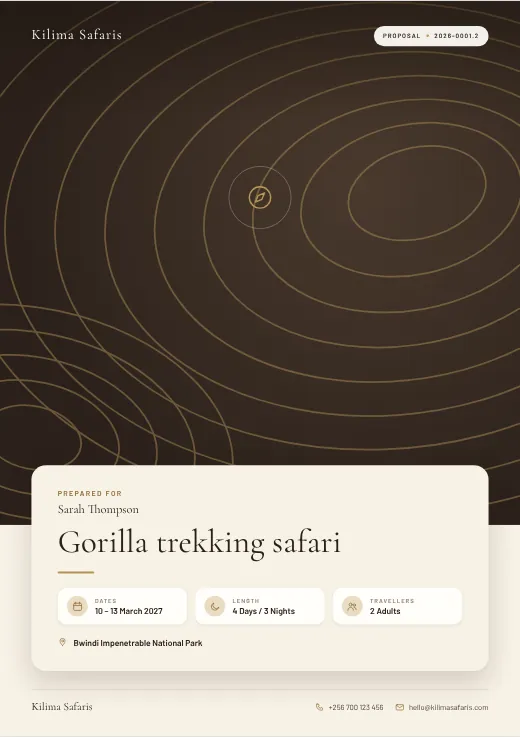
Pick one of 20 proposal styles with your logo and colours. The client gets a private link that opens on any phone, plus a PDF. A route map shows the trip, day by day.
Client accepts or asks for changes
The client accepts online or asks for changes. You see when they opened it, get reminders to follow up, and can send a new version in minutes.
Invoice and get paid
The accepted quote becomes an invoice with its deposit and balance dates. Record payments as they come in and send receipts. Overdue balances show on your dashboard.
Run the tour
Assign the guide and vehicle, track lodge confirmations, permits and flights, and see at a glance which upcoming tours are ready and which still need something.
See how the business is doing
Reports show enquiries, accepted quotes, revenue and what is still owed, so you know where the business stands.
Keep your property ready for every itinerary
Create a free partner account and add your properties: description, location, photos, room types and meal plans. Keep them up to date in one place.
Tour operators using the platform can pick your property while they build an itinerary, so your rooms and photos appear in their proposals the way you want them to.
Common questions
Does my client need an account?
No. Clients open a private link to their proposal on any phone or computer. Only your team signs in.
Can I use my own logo and colours?
Yes. Add your logo and company details once, then choose the colour for each proposal style. Your branding goes on the proposal, the PDF and the invoice.
Can my team work together?
Yes. Invite your team and give each person the access they need, for example sales, operations or finance.
Can I put an enquiry form on my own website?
Yes. Your enquiry form can sit on any page of your website, and every enquiry lands in your dashboard with the client details filled in.
Can proposals be in another language?
Yes. A proposal can be translated for the client, and you can correct any sentence before it is sent.
Is my information private?
Each company only sees its own clients, quotes and invoices. Read our privacy policy for the details.
Ready to send your next proposal from one place?
Create your account, add your company details and build your first itinerary today.